Welcome to the Felix Booking Engine. This guide explains how the system works, the types of booking engines available, what you can customise, and what is required from your end to get your booking site live.
Booking Engine Options
Felix provides two booking engine options. Both are fully integrated with the Felix PMS and support Stripe for payment processing. Your choice depends on your property portfolio size and whether you require website hosting integration.
1. Felix PMS Booking Engine (Standard Version)
This version is created inside Felix PMS prior to going live and is ideal for quick deployment and simple integration.
Key Features:
Created and managed directly within Felix PMS
Ready for payment processing via Stripe
Connects to the universal Felix PMS calendar
No hosting setup required
Simplified layout with minor cosmetic customisation (e.g. property images, colours, content)
URL links can be embedded in your website — speak to your website admin
2. Felix V2 Booking Engine (Hosted Version)
This version is included in your contract if you have 8 or more properties and prefer a fully branded experience embedded into your own domain.
Key Features:
Designed with a fixed layout focused on simplicity, performance, and ease of use
Custom styled to align with your brand
Fully connected to the Felix PMS and universal calendar
Stripe-enabled for payment processing
Client-hosted — requires coordination with your website admin
Requires Terms of Service and Privacy Policy
Technical Requirements:
Subdomain configuration
Collaboration between Felix and your web admin team to complete integration
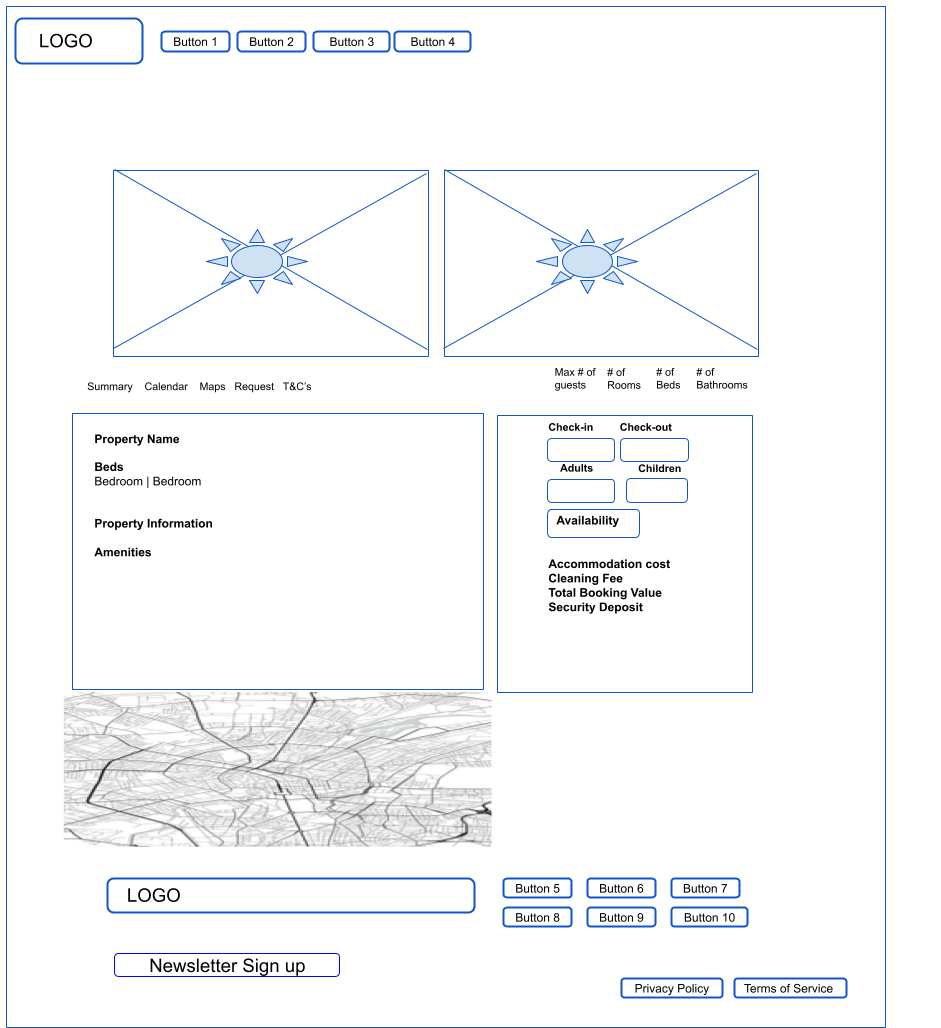
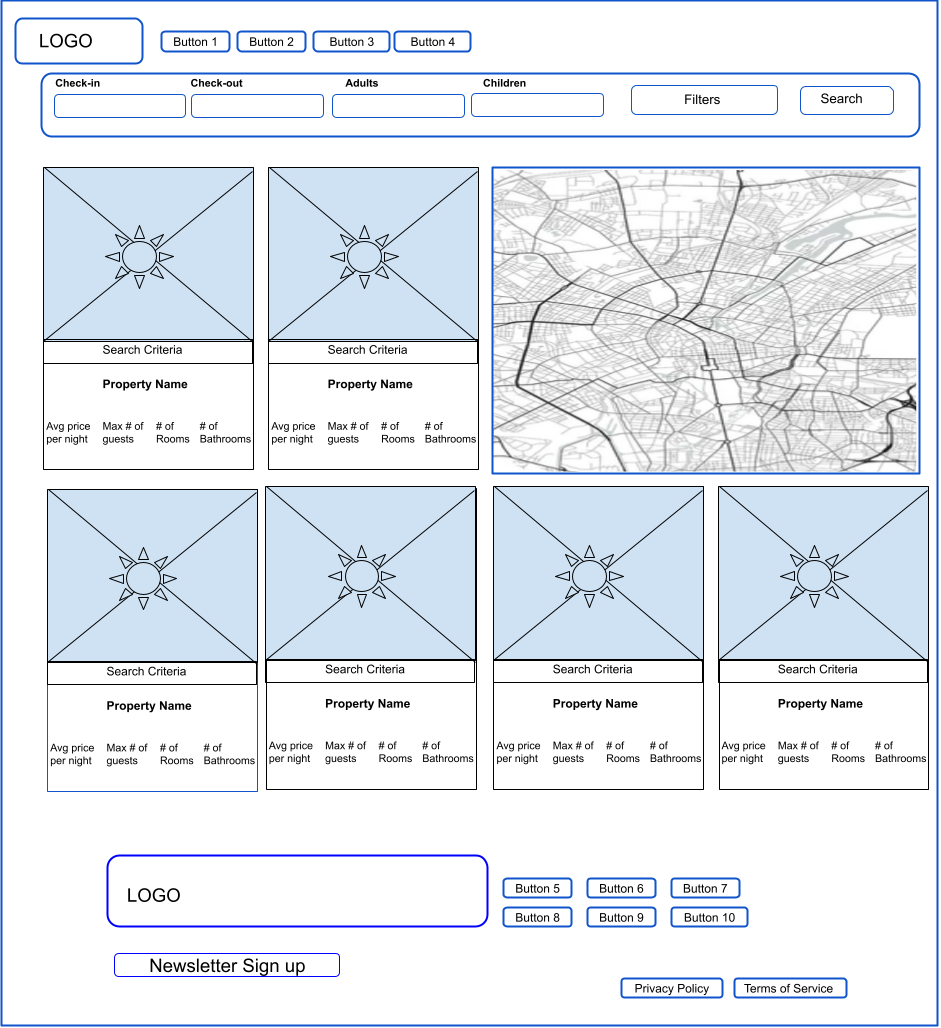
Felix V2 Booking Engine Layout
The Felix Booking Engine uses a fixed layout structure. This allows for high-speed performance and reliability, though some personalisation is possible.
You Can Customise:
Property images
Display order (managed in Felix PMS)
Titles, descriptions, pricing, and house rules
Colour palette and branding
Property availability and blackout dates
You Cannot Customise:
Layout or structure of the search/filter interface
Map display location
Page component order
Fixed data fields (e.g. number of bedrooms, bathrooms, average nightly rate)
Hosting & Domain Configuration (V2 Booking Engine Only)
To host your V2 Booking Engine under your brand’s domain, please follow the steps below:
Client Provides Domain/Subdomain
You must configure a subdomain (e.g. yourbrand.com.au/booking) and share it with Felix. This will be the address where your booking engine is hosted.CNAME Record Setup
Once we receive your subdomain, we’ll integrate it into your booking engine project on Weweb. Weweb will then issue two CNAME records, which we will send back to you.Client Updates DNS Settings
You will need to add the provided CNAME records into your domain’s DNS settings. This action must be completed on your end. Once the records are in place, it may take up to 24 hours for the domain to redirect properly to your new booking engine.
Required Documents
To activate your V2 Booking Engine, the following documents are essential:
Terms of Service
If you already have Terms of Service prepared, please add these in the Onboarding form. If not, please refer to our Terms of Service Template file. You may customise this document to suit your business, but it must include your booking terms and conditions.
Privacy Policy
You must also provide a Privacy Policy. If you have your own text ready, share it with us. If not, use our Privacy Policy Template, which can be modified to meet your requirements.
Booking Engine Layouts
1)
2)